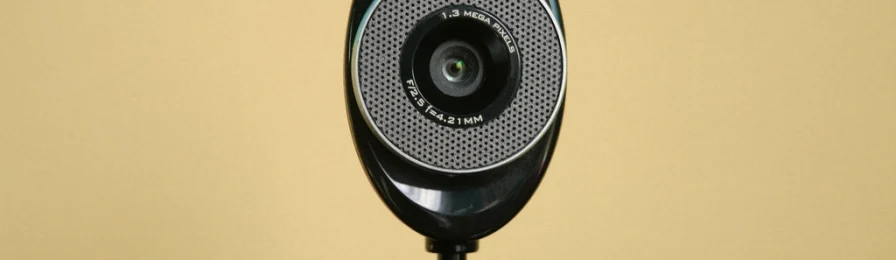
A webcam in your kitchen is not a testing center. Knowing how proctoring works, and what you can ask for, takes a lot of the stress out of exam day.
The quick take
- Remote proctoring can be live, recorded for later review or automated with software that flags behavior.
- In 2022, a federal judge ruled that a room scan at a public university violated a student’s Fourth Amendment rights.
- FERPA protects your education records, including proctoring recordings kept as part of them.
- You can ask about alternatives, such as an in-person testing center, and request disability accommodations.
Many online courses use remote proctoring to check that students take exams honestly. The tools vary a lot, and so do schools’ policies, so it pays to understand what you’re agreeing to before your first exam.
Three kinds of remote proctoring
| Type | How it works |
|---|---|
| Live | A person watches you through your webcam during the exam |
| Recorded | Your webcam, microphone and screen are recorded and reviewed later if something is flagged |
| Automated | Software flags behavior such as looking away, other voices or opening other programs, for a person to review |
Many tools ask you to show photo ID, close other programs and sometimes pan your camera around the room before you start.
Room scans and the law
In 2022, a federal judge in Ohio ruled in Ogletree v. Cleveland State University that requiring a student to scan his bedroom before a remote exam was an unreasonable search under the Fourth Amendment. The ruling applies directly only to that case, and only public institutions are bound by the Fourth Amendment, but it made many schools rethink mandatory room scans. If a room scan worries you, ask what alternatives exist.
Your privacy rights
- FERPA, the federal Family Educational Rights and Privacy Act, gives you rights over your education records at schools that receive federal funds, including the right to inspect them and limits on disclosure.
- Ask what’s collected (video, audio, screen, keystrokes), who reviews it and how long it’s kept.
- Some states have laws on biometric data that can apply to facial recognition features.
Coach’s tip
Do the practice or system check the proctoring tool offers at least a day early. It catches webcam, browser and connection problems while there’s still time to fix them.
Accommodations
If you have a disability, you can request accommodations for proctored exams, such as extra time, breaks or permission to use assistive technology. Register with the school’s disability services office well before the exam; our guide to accessibility in online courses explains how.
Exam-day checklist
- Quiet, well-lit space; tell your household when you’re testing.
- Laptop plugged in, other programs closed, notifications off.
- Photo ID ready.
- A wired connection or a spot close to your router; see setting up your tech for online classes.
- The instructor’s contact details handy in case something fails.
You might be wondering
Q: Can I refuse a room scan?
A: Policies vary. Ask your instructor or the school’s testing office in advance whether an alternative is available, such as a testing center or a different exam format. Don’t wait until exam day.
Q: What if my internet drops during the exam?
A: Contact the instructor immediately and keep a record of the time. Many schools have procedures for technical failures, and having the details helps.
Q: Does the software record my screen?
A: Many proctoring tools record your screen, webcam and microphone during the exam. Read the school’s proctoring policy to see what’s recorded and how long it’s kept.
Policies differ by school and change over time. This guide is general information for online students in the U.S.; check your school’s current policies and your program’s requirements before you enroll.